TESTING NEW EDITOR
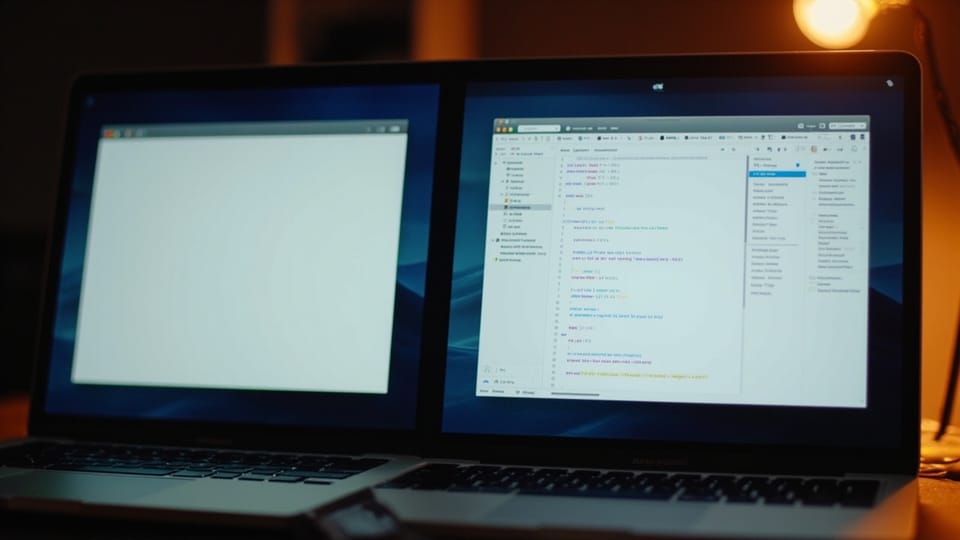
This is the new way home for my writing. Since I washed my iPad with Smart Keyboard in around 1L of water within my bag - this is not a reliable combo for writing anymore. iPad seems to be fine, while keyboard is a rollercoaster. There are chances it will be fine, yet I went to investigate a topic, that was delayed for a while. A writing software for MacOS.
My journey with writing started with Ghost (self-hosted platform) and iAWriter - being one of the clienest and most focused environment for writing. It taught me a lot about patience, intention and distract-free activities. Yet it has it's own limitations, that sometimes was making workflow less smooth. Actually quirks often discourage me from doing some sort of activities.
With all this in mind and a price tag of almost 50 EUR on iAWriter for MacOs I went to look for something else. And right now I think I've found a new favorite. It's called Typora. It's around 3 times cheaper and support a bunch of features I'd like to use.
[TOC]
Feature testing plan
Here is a list of features to test:
- [x] Code block
- [x] Native Tables
- [x] Mermaid
- [x] Alerts
- [x] Footnotes
- [x] Emoji
- [ ] Math
- [x] Publish
Code block
One of the example, is native code support, while rendering perfectly the way it will be displayed. Even with formatting options, including indentation! It has no validators built-in, but the highlight and indentation works well.
fmt.Println("Hello, World!")

testFunc := func(x string) {
  fmt.Println(x)
}
YAML:
services:
	image: hello-world
	ports:
		- 1234:1234
class TestExample {
  var prop1: String
}

let obj = new TestExample()
Native tables
Tables was also promissed to be a first class citizens. Let's compare iAWriter to Typora.[1]
| Feature | Typora | iAWriter |
|---|---|---|
| Markdown | yes | yes |
| Rich Formatting | yes | limited |
| Table | native/markdown | markdown |
| Code formatting & preview | yes | no |
| Distraction free | limited | yes |
| Word highlights | no | yes |
The truth is the more features are baked in - the more compex software becomes. It requires more learning. And later on it requires more decisions. This is why choosing the simplest possible option is underrated for the beginning. And I've made this mistake tons of times myself.
One of the iA writer's killer's feature was word highlighting. But I never bothered to understand it. Writing was more important than caring about the colors and suggestions. This paid of well, because writing sharpened and keeps sharpening my thoughts and my ability to express my, often non-trivial, chain of thoughts.
Mermaid Diagrams
Another nice feature are Mermaid diagrams, let's try it out:
graph TD

User --> Gateway

Gateway --> Hermes

Gateway --> OpenClaw

Hermes --> Ghost
flowchart LR

Idea --> Design

Design --> Build

Build --> Deploy
Alerts
[!NOTE]
The details and comparison might be inacurate, it is very subjective and unprecise.
Summary
I already enjoy working with Typora. It gives me clean preview while providing tons of enchancement how to structure and visualize the information, that was previously tricky with iA Writer. I think Typora is a next step to elevate my writing experience and sharing my knowledge, especially for the technical writing.
Despite text can be written no Notepad or Notes - visualization matters a lot. Complex symbols carry much more context taking less space. This is why our ancestors were using drawings rather than writing as we know it exists these days. This corelates with the level of abstraction. We can exchange information about the things we have never experience ourselves, using all the same letters. With images that's impossible. Imagine experessing "airplane" when you can only draw animals: :elephant: + :dragon: .
iA Writer did it job and stays with me on the go. Not all topics require complex schemas, code or comparison tables. After years of overcomplicating things I value simplicity very high. For these moments a blank white screen works the best. For a more complex scenarios - I have a nice working horse now.
There is just one test left: publishing! How succesfull it will be? If you're reading it - it wen well.
- Not a paid test, strictly my opinion ↩︎